Hello Kitty
Cute Pack for Minecraft
A cozy Sanrio-inspired modpack. Bring Hello Kitty, My Melody, Kuromi, Cinnamoroll, Pompompurin, and all their friends into your world. Fabric 1.20.4. Everything bundled — no mod hunting, no Java setup.
What's inside ♡
Handpicked mods, cozy textures, sweet vibes. No tech trees, no grind, just kawaii.
Cute mobs
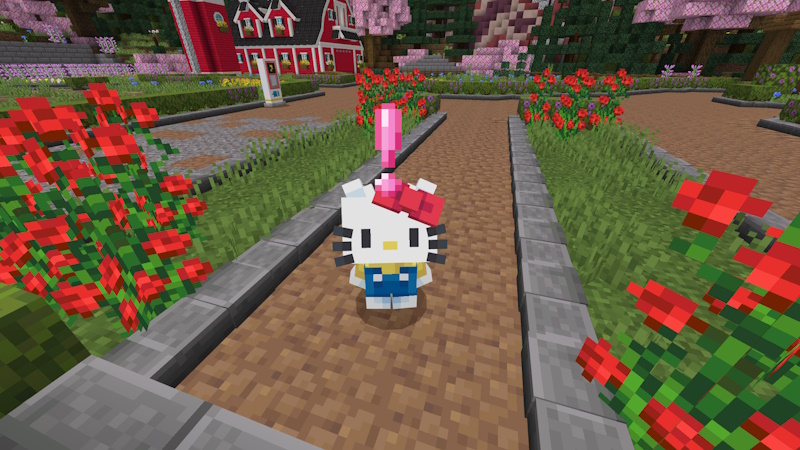
Replace vanilla mobs with Sanrio-inspired friends. A Kuromi enderman? Yes please.
Food and decor
Cupcakes, macarons, milk tea, bow-shaped lamps — build the coziest cafe.
Soft textures
A pastel resource pack bundled in. Every block feels a little gentler.
Cosmetics
Hats, bows, wings, backpacks — 200+ cosmetic items to customize your character.
Seasons and festivals
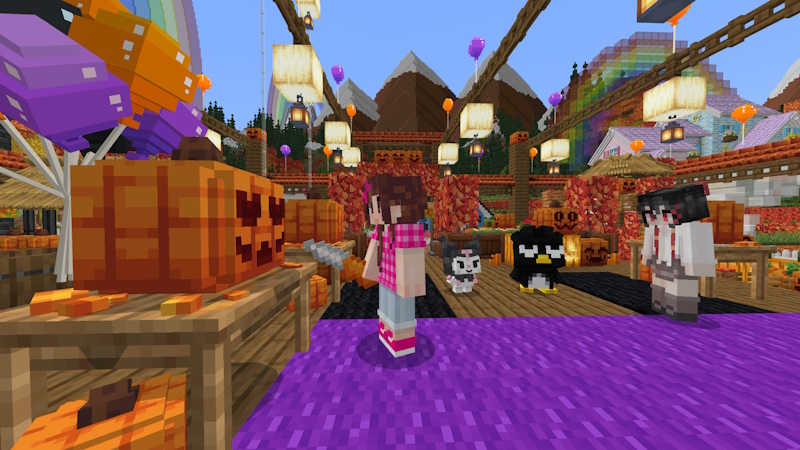
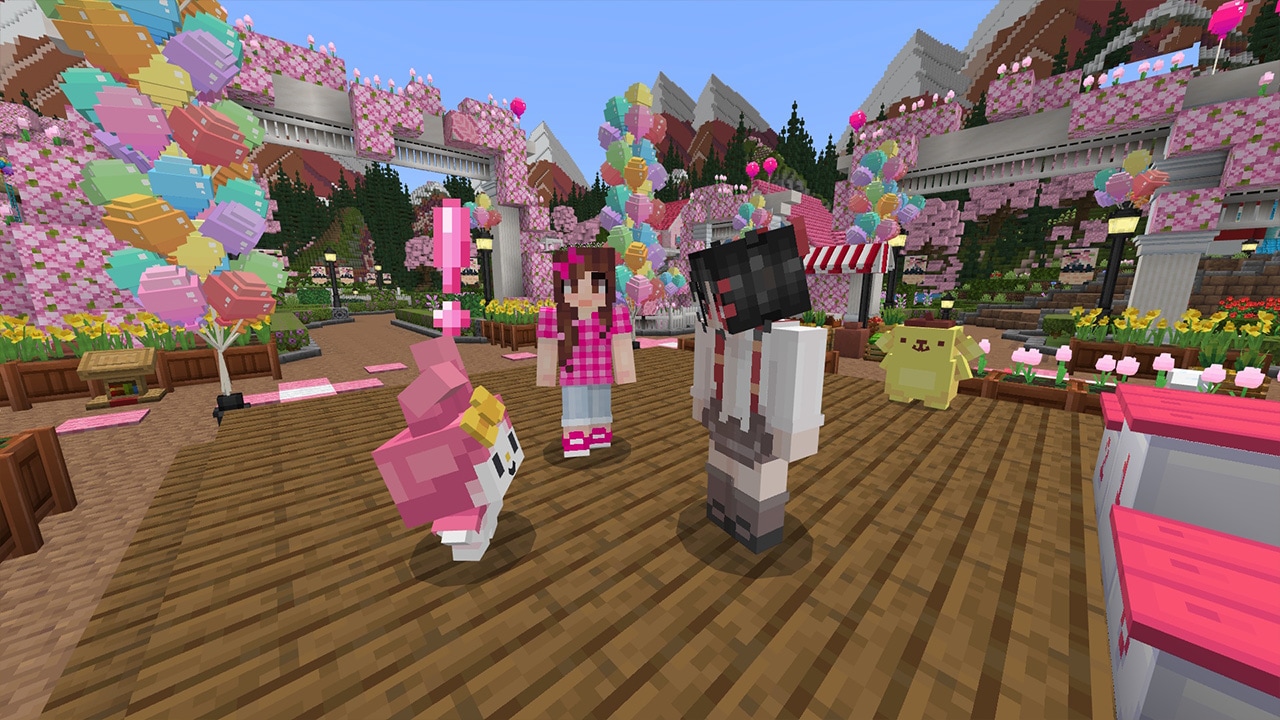
Cherry blossom spring, lantern-lit summer, cozy autumn — the world changes with the seasons.
Lo-fi music
Chill remixes of the Minecraft soundtrack. Perfect for late-night building sessions.
Kawaii particles
Sparkles, hearts, and flower petals that follow you around. Very cozy.
Performance
Sodium, Lithium, Iris. Runs on any laptop that plays vanilla Minecraft.
Screenshot gallery
Straight from the pack. Every block, every mob, every season — this is what you'll see when you load in.
Install in 4 steps
Everything you need is bundled — no Java install, no mod hunting, no manual setup. Just the launcher.
Download the launcher
Grab CraftSanrio.zip from the download button below. Includes the game runtime, so you don't have to install Java.
Extract the zip
Right-click → Extract All. Put the folder anywhere you like — Desktop, Documents, wherever.
Run the launcher
Open the extracted folder and double-click CraftSanrio-Launcher.exe. If Windows shows a warning, click More info → Run anyway.
Play! 🎀
The modpack installs itself and launches Minecraft 1.20.4 with everything loaded. First run takes about 2 minutes.
Download 🎀
Free. Includes launcher, runtime, and all 18 mods.
Hello Kitty Cute Pack
Direct download · MediaFire · No login required
Questions? ♡
Cozy answers to cozy questions.
Do I need Java installed?
No. The launcher bundles its own Java 17 runtime. You don't need to install anything.
Do I need to install mods myself?
No. All 18 mods and the resource pack are bundled inside the launcher. You just extract and double-click.
Why does Windows show a warning?
Because the launcher isn't code-signed with a commercial certificate. That's a paid process — most indie modpack launchers skip it. The warning is safe to click through. Click More info → Run anyway.
Will it run on my laptop?
If you can run vanilla Minecraft 1.20.4, you can run this. Sodium, Lithium, and Iris are bundled for performance.
Is this official Sanrio?
No. This is a fan-made modpack. All Sanrio characters, names, and designs belong to Sanrio Co., Ltd. Not affiliated.
Can I play on servers?
The pack is mostly client-side cosmetics but adds world content. Servers need the same mods installed. Ask your admin.
How do I uninstall?
Just delete the extracted folder. Nothing is written to your system outside of it, except the standard Minecraft save files in your %APPDATA% if you actually play.
I got an error on launch. What do I do?
Message the support contact with a screenshot. Include your Windows version and where you extracted the folder to.